Up next in 10



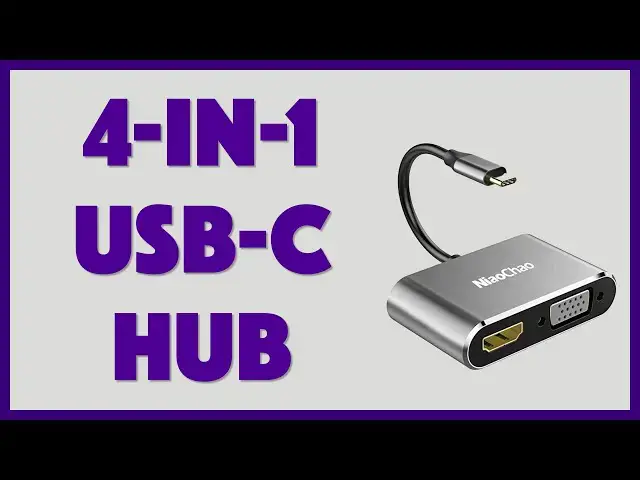
If you have a computer with just USB-C connections, you know the hassle of connecting other peripherals, gadgets and devices. Enter the NiaoChao 4-in-1 USB-C Hub Adapter, offering 4K HDMI, VGA, USB-C and USB-3.0. But does it work, and is it the best possible configuration of plugs?
Tech expert Dave Taylor of https://www.AskDaveTaylor.com/ checks out the NiaoChao USB-C Hub, tries to pronounce the company name correctly, and tests out the various ports. Well, except VGA. There are no VGA devices in the office!
Check it on Amazon: https://amzn.to/2MLV7vq
Show More Show Less View Video Transcript
0:00
Does this adapter solve all your USB-C hassles? Let's find out
0:12
Dave Taylor here and I have a MacBook Pro that just has USB-C connections
0:17
A lot of you have similar sort of setups and it's a hassle. I have all these other
0:21
devices I want to be able to plug in and I can't without using adapters. Enter this
0:26
This is one of many options. This is a USB-C hub adapter. This is from, and I really hope I get
0:33
the pronunciation right, Niaoqiao, which is a Chinese company and it's a 4-in-1 adapter
0:39
So on one end it has VGA, which is kind of a cool retro thing, and HDMI, much more useful
0:47
And on the other side it has USB-C so you can power your device if you only have one plug
0:53
and USB 3. Now it's made out of aluminum alloy. It's about 2.3 inches, I'm sorry, it's 2.3 inches
1:01
by 1.5 inch by 6 tenths of an inch thick. Weighs just under 5 ounces. It's really super easy to
1:08
carry and travel with. As you can see it has USB-C on that one end. So let's actually plug it in
1:16
And while I'm plugging it in let me tell you a little bit about it. So the USB-C I'm using a
1:21
61 watt charger from Apple and I just want to show right up front that initially the Apple
1:29
hardware monitor says that it's actually getting 60 watts of power. So the question is when I plug
1:35
it in through the hub how much power does it get? So we're going to do that but we're also going to
1:40
plug in HDMI and see if we can power this external monitor. So I'm going to do both. I'm going to plug
1:46
it into my computer and fingers crossed everything will work. So that sound tells us that it's
1:51
getting power which is great and hopefully there we go. Now we're getting the screen mirrored over
1:58
here which is actually really handy. So that all works great. Now interestingly if you look at this
2:05
close-up you can see that it's only giving 52 watts of the 61 watts to the computer. So it's a
2:12
little bit low. The hub is actually pulling out just under 10 watts of power for its own purposes
2:18
That's why the company says you should really use it with an 87 watt charger rather than a 61 watt
2:24
charger. This will work. I'd probably need to close my computer to get it to charge a little faster
2:30
and even then it's going to charge a little more slowly than normal. But it does work. This will
2:36
work with your Nintendo Switch and such. If you want to use the USB-C for something else that's
2:41
fine. Now let's look at USB 3 right because we got the HDMI working and we have the USB-C working
2:50
So now we're going to start with an easy one. We're just going to look at power. So this time
2:55
all I'm going to do is I'm going to see if I can charge my Apple Watch through that and it is
3:01
indeed charging. So that's good. So at the most basic level it can push power through the USB 3
3:09
even though I'm using everything else. Now let's unplug my watch since it is fully charged
3:14
and I'm going to put in a USB drive maybe. Let's see. That's not wanting to fit in there. I think
3:22
it might just be weird dimensions. Oh that's not good. Let's see. Is it going to show up
3:32
Yes. So I'm seeing it on my desktop and now what I'm going to do is I'm going to go ahead and
3:36
just do some quick tests. Let's actually record this. I have the external drive showing up on my
3:43
computer desktop. So we're going to go ahead and copy to and from. Let's start by copying a 124
3:49
megabyte file to the drive and we'll see how quick that is. And that's pretty decent speed there
3:56
It looks like it's stalling out halfway but there we go. And now I'm going to do the opposite. I'm
4:01
going to actually read from the drive and copy it onto my hard disk. You ready? Here we go. And
4:07
reading is always faster than writing so that should be pretty fast. In fact it's done. That
4:12
was pretty easy. Great. Now let me switch back to being on camera. So it works great. It's nice and
4:18
fast. I get all the functionality I want. I can't test VGA because I don't have anything that works
4:22
with VGA but you can see here on the big screen everything's still working just fine and that's
4:28
really really great. Now again let me give you a little bit more on the specs on this. I'm going to
4:33
go ahead and unplug everything so we can look at it. So let's see. Everything's unplugged and now
4:40
here you have it. And basically the USB-C like I said it's charging and data. We saw that at least
4:47
the charging worked although it does leech about eight watts of power. Worth knowing. Does work
4:52
with things like the Nintendo Switch. The USB 3 which is on this side does what they say is up to
4:59
five gigabits per second transfer. That's actually just the spec. I was not able to test whether it's
5:05
that fast but it's certainly fast enough. That works fine. The HDMI supports Ultra HD 4k at
5:13
30 hertz and then you have the VGA. But here's the thing. If you want to use both of them
5:18
simultaneously to drive two monitors then the HDMI steps down to 1080p at 60 hertz. So you're not
5:26
going to be able to drive a 4k monitor and another monitor via VGA. So probably that's a very unusual
5:34
scenario but you could certainly do something like drive a projector through VGA and then have
5:40
a display also showing that same information. So you could use that for like a kiosk or something
5:45
So that's really the only limitation that's worth mentioning. Comes in gold, silver, or gray. And
5:52
before I tell you the price let me ask if you can go ahead and subscribe to my channel. Really
5:56
appreciate when you do that. Great. Now the Niaoqiao USB-C hub adapter is $19.99 at amazon.com
6:06
One product solves a lot of problems. Definitely worth checking out. And they also have a lot of
6:10
different configurations. So if you're sure that you're never going to use VGA you might look at
6:15
a configuration that has two HDMI 3, sorry, two USB 3 connections. So, options. Anyway that's all I got
6:24
So I'll catch you in my next video
#Computer Peripherals
#Laptops & Notebooks
#Gadgets & Portable Electronics