Up next in 10



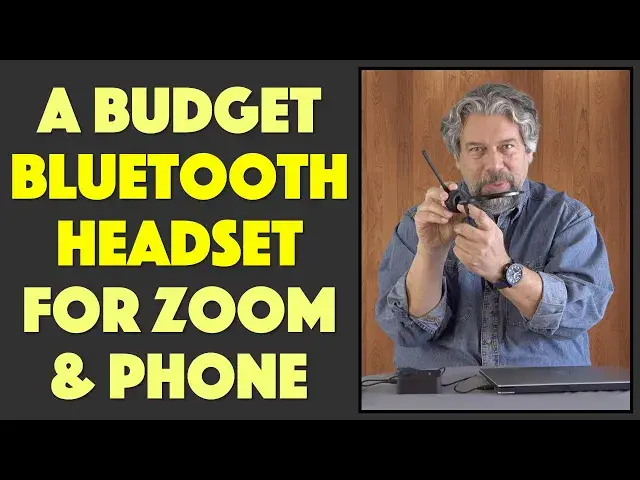
If you spend a lot of time on Zoom calls or the phone, you know that it's fatiguing to sit in one place or hold your phone up to your ear. Pros who spend a lot of time on calls use headsets, and that's the functionality that the Jelly Comb BH-M9 Bluetooth Headset offers too: hands-free, wireless phone calls, video chats, even classroom lectures at a fraction of the price of pro gear. Tech expert Dave Taylor of https://www.AskDaveTaylor.com/ checks out the oddly named Jelly Comb BH-M9 Bluetooth Headset and finds that while the basic functionality is good, the design might be lacking for many users, as he explains...
Check it on Amazon: https://amzn.to/3uMrZX2
Show More Show Less View Video Transcript
0:00
A budget Bluetooth headset for phone calls and video chat
0:03
Let's check it out. Oh, just a second. Hang on
0:15
Dave Taylor here, and I've been using this. This is the rather curiously named Jellycomb, BHM-9 Bluetooth headset
0:24
And as you can see, it's a pretty simple device. It is a mono headset with a little
0:29
with a little speaker here and a microphone pickup on the end of its boom arm
0:35
and it's designed for you to be as if you're at a call center. So you can use this very easily and conveniently to be on phone calls
0:43
to be on a Zoom call, to be doing a video chat via Skype or team or meetings
0:49
or who knows, or blue jeans. There's a ton of options now. So this as a device is very simple, and it's surprisingly affordable
0:58
and it's really easy to work with. So, as you can see, you fold the arm up
1:03
you put it on to the base, and now it's charging. It's easy enough
1:07
When you get a call, you pick it up, and it then is activated
1:11
and the device will know about it, and you'll be able to work with it
1:15
So you can use this via Bluetooth with anything, a computer, PC, Mac, a phone, a tablet
1:22
whatever it is you need to use. It'll work fine. Now, it's powered by Bluetooth 5.0
1:27
and you compare it to two devices simultaneously. So you could have it connected to both your phone and your computer
1:35
and then whichever one you need to use, it'll just automatically switch to the correct one
1:40
The microphone also has some noise reduction circuitry. I didn't find that that was super important or super helpful
1:47
but the microphone itself does a really good job I give you a demo in just a second The charging base is powered by micro USB It a pretty hefty device
1:58
So you unplug it. There's micro USB in the back, and it includes a micro USB to USB 3 cable
2:05
and you plug it in, and you're ready to go. But here's something I think most people don't realize is there's actually a hidden little charge plug on here, too
2:15
Somewhere the other. Here it is. It's on the side. And so you can actually charge the headset directly by taking this little rubber stopper off
2:24
And then you have micro USB here too. In fact, let's go ahead and have a close-up of the headset because it does have a bunch of controls on it
2:33
On the top are the plus and minus for volume. And then the sort of hinge on the microphone is actually a multi-function button with a lot of functionality
2:45
Here's a little cheat sheet that shows you all the different things you can use it for
2:49
Most importantly, you'll be using that to turn it on and off or to hang up calls or tap to pick up a call
2:55
So really pretty easy to work with. It is small. It is really small, but it does have this adjustable headband
3:03
So you can adjust it to be the way you prefer. You can have it on your right ear or your left ear because the microphone can go on one side or the other
3:13
So whichever one you're more comfortable with, it's a memory foam earpad, so it's not super comfortable, but it's not super uncomfortable
3:23
Has a 108 mill-amp hour battery, which gives you 15 hours of talk time on a charge
3:31
And of course, between calls, you can always just drop it back on the base and get a little more charge for your next phone call
3:38
So if you spend a lot of time on Zoom or something this will work for even three or four hours at a stretch without any problem at all and then you do this and you take a 15 minute bio break and you pick it up and you ready to go for the next call
3:50
So that's not too bad. Now, let's talk about size and comfort and then I'll give you that demo
3:57
So as you can see, the earpiece itself is small. This is in fact only 1.75 inches across
4:07
Why they couldn't make it an inch or two wider, I don't know. It's very awkward because it has to balance perfectly in the right spot on top of your ear
4:16
Now, the microphone arm's a nice long length, that five inches. That works out really well
4:21
The whole thing's 13 ounces, so you barely know that it's on, except that it is pretty tricky to get it to fit properly on your head and be balanced
4:32
So the first thing is you need to get your hair out of your ear. And then the idea is that this clamp on the other side is
4:40
is going to actually sit and hold it in place. And so that's actually in a pretty good spot here
4:46
So in fact, let me go ahead. I'll just double check that I'm still paired via Bluetooth
4:52
That looks good. So I'm going to go ahead and just switch audio sources
4:56
So right now you're hearing me through this microphone as part of my video setup
5:01
We're going to switch to using this. So now you should be able to hear me
5:06
through the Jellicom B-H-M-9 Bluetooth headset. And I think it sounds terrific
5:11
This is a really nice, clean microphone for phone calls and everything
5:16
The downside is that it is a little awkward feeling. And if you move around a lot, then this is going to fall off your head
5:23
I'm pretty sure of that. Now, let me switch back to the other mic. So there actually a lot that I like about this from a design perspective but I think the implementation is a little bit weak So I think this should be bigger so that it more comfortable on your ear And just the whole design
5:42
maybe it's designed for people that don't have long hair or really don't have any hair
5:47
but this is something that I just found didn't work super well for my head
5:52
which is disappointing because the battery life plus this fantastic microphone and its budget price
5:58
add up to it being a pretty nice option for people, especially if you're spending hours on Zoom calls
6:04
It's a good headset for teachers depending on your hair and such, right
6:09
So really, now that you've had the demo and everything and I've shown you some close-ups
6:14
the only thing left to talk about is the price. But before we get to the price, I'm going to ask if you could subscribe to my channel
6:20
If you would be so kind, a click or a tap on that red subscribe button will have you join the team
6:26
And I really appreciate that. All right. But this is the jellycomb B-H-M-9 Bluetooth headset, and it is $3999 at Amazon.com
6:38
And there's a lot of competition in this space, but this is a pretty solid option
6:43
If you can have it work for your ear shape and for your hairstyle so that it will actually go on and stay on firmly
6:51
then you will be really appreciative of just how nice the audio is on this device
6:56
That's all I got. I've had someone on hold this entire time, which has been extraordinarily rude of me
7:02
so you need to get back to that call, which means I'll have to catch you in my next video
#Consumer Electronics
#Voice & Video Chat
#Gadgets & Portable Electronics