Up next in 10



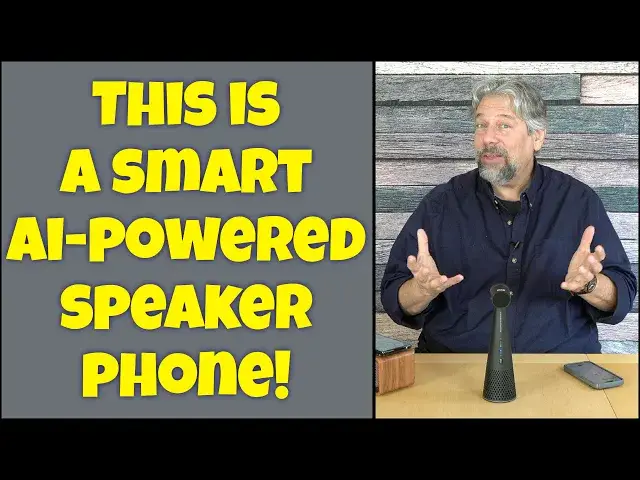
If you have lots of background noise during your Zoom calls, conference calls, or just while chatting with grandma, the IPEVO "Vocal" AI Speakerphone can be a complete gamechanger. Tech expert Dave Taylor demos the key features of this smart AI-powered device and lets you hear just how well it masks background noise: On either end of the call!
Check it out at: https://amzn.to/3OBF95e
Visit Dave's Q&A Web site at: https://www.AskDaveTaylor.com/
#ipevo #vocal #aispeakerphone #aipowered #smartspeakerphone #speakerphone #soho #homeoffice #askdavetaylor
Show More Show Less View Video Transcript
0:00
This AI speakerphone has some crazy good functionality
0:04
Let's check it out. Dave Taylor here, and I'm checking out this
0:15
This is the Ipevo Vocal AI speakerphone, and it's pretty amazing, actually
0:21
So you can see it's just sort of like this tower speaker with a microphone
0:26
and it has some interesting features, including the ability to have two, microphone modes you can have omnidirectional and it'll pick up everything around it or
0:35
you can have it do a 120 degree directional in which case it'll be picking up what it's facing and the
0:42
real magic here is that they have some AI circuitry that not only does AI noise reduction on
0:49
your end if you're a noisy environment but it also does AI sound reduction on the background
0:54
noise on the signal coming to you so if someone else that you're talking to is
0:59
is in a noisy environment. It'll help with that. Now, that piece I can't demo
1:04
but I can definitely demo how amazing this is and getting rid of your own background noise
1:10
So I'll tell you, it is rechargeable USBC. There's two buttons on the back
1:16
one for Bluetooth pairing and one for power. There are two buttons on the side
1:20
that let you turn on and off AI for sending and receiving
1:26
I'm gonna turn both of those off. And then on the front, there's a nice accessible
1:29
mute button So it really easy to work with I already paired it with my phone It is Bluetooth 5 So it work with a wide variety of devices If you don want to do that it includes a very nice heavy USBC to USB cable And you can plug this into your Mac or PC or Chromebook or probably Linux machine and use this wired if you don want to use Bluetooth All of that is super easy to work with And let me tell you that it is nine and a half inches tall by about 2 inches across on its base
2:04
And it's 12 ounces. So it's pretty darn light. So all of that's well and good
2:10
But I know you want a demo. So I have background noise
2:15
So I'm going to turn this on. You ready? So here's my background noise. And it's similar to being at a noisy coffee shop or maybe you're at a bar and you don't want the boss to realize
2:28
So that's going to be our background noise that we're going to want this to get rid of
2:33
So what I'm going to do is I'm going to actually record from this onto my phone
2:39
But before we do that, it is a speaker. So let's just play some music through it and hear what that sounds like
2:48
And it actually sounds pretty nice. There's not a ton of bass, but it's really not intended to be a music speaker
2:57
So it is sort of tuned to be a voice speaker. You can hear it doesn't get super loud
3:04
But in an environment like this, if I'm in a conference room or at my desk or sitting at the kitchen table working
3:11
it's going to be plenty good enough for voices. So enough of that music
3:15
Let's get to the actual demo here. So I'm going to switch to actually giving you this audio signal
3:22
So let's get that going. So now what you're hearing is my voice as picked up by the Ipevo vocal, AI speakerphone
3:31
no background noise, super quiet. Now let's turn on the background noise and I do not have the AI enabled
3:38
So you can hear me talking over the background noise Ready I going to turn on that AI I have not touched this so it still I still hear all this background noise but you just hearing my voice which is pretty amazing
3:57
It does a really good job of getting rid of that noise. And I turn AI back off. And now you can hear it again
4:05
That is a pretty impressive result. Let me leave that noisy environment, and we're back into the quiet
4:12
And let me switch back to my regular mic. And that's my demo
4:18
And I got to say, when I was first experimenting with this, I was startled because it not only does a really amazing job of getting rid of that background noise, but it doesn't clip your own voice
4:30
Because a lot of times when I've tested out these sort of devices, then when I'm talking with background noise and noise reduction, then I sound weird
4:40
or you can hear the noise sort of creeping in under my voice. And this does a really impressive job of getting rid of a lot of that
4:47
which means you could be home and your kids could be in the other room watching a TV show
4:52
or your dog could be barking or you could be working at a coffee shop or something
4:57
and just have this sitting on the table next to you and you're good to go
5:01
Now, probably if you're in a public space, you might want to have earbuds or something
5:05
for the other end so you can hear. But in a quiet environment or a conference room or a room where you have five or six people and you want to just put this in the middle of the table, it's a remarkable device
5:18
So definitely one to check out if you're someone who uses the speakerphone
5:23
And that could include things like Zoom or Microsoft Team or Google Meet
5:28
I mean all of those all work and they have that same sort of bidirectional audio and they all going to work great with this device either via Bluetooth with its full 40 hours of battery life or directly plugged in with that USBC So plenty of options small it easy it does not come with a carrying case
5:48
You'll want to figure that out if you want to be portable with it, but it has a nice build
5:52
quality, so it feels like it's going to do pretty darn well. Honestly, maybe just a heavy sock would be a good sort of improvised carrying case
6:02
I'm sure they have better solutions, but that might be one to consider. Anyway, that's really what I got
6:08
It's definitely something that you will want to look at if you are doing Zoom's or Microsoft
6:13
meetings or speakerphone or, you know, talk to your colleagues all the time
6:19
Now, we do need to talk about the price. And before we get there and I'm going to invite you to subscribe to my channel
6:26
Go ahead and just click on that subscribe button. Easy enough. Click on the bell icon for notifications
6:31
Give me a thumbs up if this was valuable. I mean, demo was pretty impressive
6:35
You got to admit. Cool. All right. Now, this is the IPvo Vocal AI speakerphone, and it is $249, currently dry, discounted down to $169 at Amazon.com
6:51
You can see it is a really nifty device, and it has the buttons on the side, and it lets you switch between omnidirectional and directional for the microphone
7:03
It has the AI buttons on the other side. it's a really slick little device
7:07
Definitely one I think you should check out. That's what I got. Hope to catch you in my next video
#Audio Equipment
#Other