Up next in 10



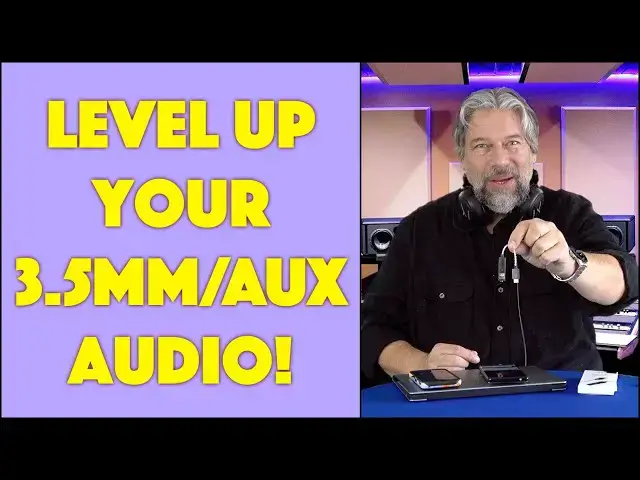
Plugging your headphones into your computer, tablet, or smartphone? That 3.5mm plug isn't giving you the best possible sound! Instead, level up your audio experience with the amazing iFi Audio GO LINK DAC/Amplifier. It can even make earbuds sound better, but if you have good to great headphones, this is a must-acquire to significantly improve your audio. Tech expert and audio fan Dave Taylor checks out the iFi Audio GO Link and finds it a great addition to his Android, iPhone, PC, and Mac listening. There's just one thing that he wishes it included...
Check it out at: https://amzn.to/3ZDg6kM
Visit Dave's Q&A Web site at: https://www.AskDaveTaylor.com/
#ifiaudio #golink #dac #amplifier #lightningdac #dacamp #audiophile #askdavetaylor
Show More Show Less View Video Transcript
0:00
This tiny gadget is an audio game changer. Let's check it out
0:11
Dave Taylor here and I'm checking out this. I'll give you a close-up because it's a little small
0:15
This is the IFI Audio Go Link USB-C to 3.5 millimeter DAC and amplifier. So, this is not
0:25
only an adapter that gives you a 3.5 millimeter jack for devices that don't have it, but it
0:31
actually has a built-in amplifier and some really sophisticated circuitry. So, let me give you some
0:37
specs. It can reproduce 10 to 80,000 hertz, a signal-to-noise ratio of greater than 125 decibels
0:45
and total harmonic distortion of less than 0.004 percent. This thing is going to rock your music
0:53
make it much louder and much better. So, whatever you plug into it, whether they're headphones or
0:59
earbuds, you could plug in earbuds, they're going to sound better. It's going to give it a better
1:04
quality source and a better signal. So, supports high-res audio, 32-bit at 384 kilohertz
1:12
DSD256, MQA or Master Quality Assured, the highest quality audio you can get
1:20
and it is actually a really slick little device. The 3.5 millimeter jack is actually gold-plated
1:26
and, like I said, you get USB-C to 3.5 millimeter, but it also comes with two very important adapters
1:35
one of which is a lightning adapter. So, you can plug this into the USB-C end and use this with
1:41
iPhones or iPads, and it also comes with a USB-C to USB-A adapter. So, you can also plug it into
1:49
older PC computers and such, if that's all you got. So, either way, it's really easy to work with
1:55
It's super flexible. It works with a ton of gear. So, I have Android, I have iPhones, I have a PC
2:02
I could use a Mac, a Chromebook, a Linux machine. As long as you go into your settings and make sure
2:07
that the output is going through the device, you can plug in an audio source and just get
2:14
better sound. So, to test it, I've been using these. These are the Beyerdynamic Tiger 300R headphones
2:20
and they're good headphones. They're not anything world-class. They're not super expensive
2:26
but there's no question that when I plug them into this, I can hear a significant difference in the
2:32
audio quality. Now, one of the things I did want to show you is that when I plug it into a device
2:38
then there's a little light here, too. You can see that little green light. That light actually gives
2:43
you feedback on the bandwidth and the quality of the audio that it's receiving, and anything it
2:50
gets, it's going to make even better. But the color code is green, which is what we have here, is PCM44.1
2:58
which is just your standard audio on a modern system. And cyan gives you DSD64 or 128, and that's
3:05
better. Yellow gives you PCM176.4, which is definitely better than green. So, the bigger
3:13
numbers means there's more information for it to do and make a better signal for your listening
3:18
device. Finally, blue is DSD256, which is really good, and magenta is MQA or Master Quality Assured
3:27
which is the best possible. Now, what MQA says, and this is like Tidal and Qobuz and things like that
3:33
is they say that MQA is the same as if you jack your headphones into the mixing board at the
3:40
studio. So, I haven't actually tested that comparison, but it really gives you a big sound
3:46
And let me tell you that when I've used these, even with a mediocre sound source like Spotify
3:52
or Pandora or even like YouTube audio or something, then it gets a bigger sound. It's just
3:59
pretty darn impressive. There's a big, bright lushness to it, and what I really like is the
4:05
soundstage becomes pretty enormous. So, I've been listening to a lot of different music and a lot of
4:12
electronica and such, and it's just all-encompassing. You can just close your eyes
4:18
and it's as if you're in the studio. And these are with these okay headphones, and without me
4:24
having this super expensive audio source or paying for something like Tidal to get that MQA. So
4:31
you can imagine if you go to the best possible audio source, then it's going to be pretty darn
4:37
impressive. But whatever you use it for, I promise you that when you plug this thing in, you're going
4:43
to take good and make them really good, or you're going to take really good and make them great, or
4:49
you're going to take great and make them sublime. So, whatever audio you have, whatever headphones
4:55
or earbuds you've been using, these are going to make them sound better. And here's the thing
5:00
is especially with the included lightning adapter, it's worth noting that this is about the same
5:07
price as Apple's lightning to 3.5 millimeter adapter, which has no DAC and has no amplifier
5:14
It's literally just an adapter. But if you do this, you are going to have such a better sound
5:20
experience. And I will warn you, this is like the first thing I did, and I always do this, and I
5:25
should know better. But when you plug it in, the first thing you need to do is drop your volume way
5:31
down, because it's an amplifier. So, it's going to make it a lot louder. So, unless you want to blow
5:37
out your ear drums, which I do not personally recommend, then plug this in, drop the volume down
5:43
start playing, put on your headphones or put in your earbuds, but really put on your headphones
5:48
and then adjust the volume. And this has no controls. So, there's no volume control on this
5:54
or anything that's not its purpose. So, you'll have to use your source device to make those changes
5:59
which is what you do anyway. So, it's really easy to work with. So, not much else to talk about. Let
6:04
me give you some dimensions, because it's really pretty small. So, it is 135 millimeters or about
6:11
5.3 inches long total. You'll notice there is a very bendy cable in the middle, which makes it
6:16
really easy to work with, rather than having to like get your audio jack just at the right angle
6:23
You can just sort of make it and it's flexible. And then width-wise, it's about half an inch wide
6:28
and it is so light that you could forget that you have this in your pocket or your computer bag or
6:34
something. The only criticism I have is by having all four of these things, or you know, these three
6:40
things I should say, with the two adapters, I kind of wish it came with a tiny little carrying case
6:45
or something or a pouch. But for the price, you can buy yourself a pouch. And I will note that it also
6:51
comes with a quick start guide, and it comes with an IFI sticker. I know you can't see that, but
6:57
there's an IFI sticker there. And it comes with some information on MQA and how to get that set up
7:04
and notes for charging. So, with some devices that don't push power out of that connector
7:11
then you might have to charge the device, which is easy to do. Just plug it into something USB-C
7:16
and wait till the light goes green. There's actually a red light that turns green if it
7:22
has, if it needs power. And then finally, of course, there is an incredibly tiny print
7:28
the small print, literally the legal and warranty, which there's no way without a microscope anyone's
7:33
going to be able to read that. So, that's everything that comes in the box. I am a big fan of this. I
7:40
like IFI audio gear, and this is just a great addition to the lineup. Now, let's talk about
7:46
the price. But before we get to the price, I'm going to invite you to subscribe to my channel
7:51
Go ahead and click or tap on that subscribe button. And then don't forget to click or tap
7:56
on the bell icon to turn on notifications, and we're connected. And if you found this review to
8:02
be useful, interesting, and informative, I definitely appreciate a thumbs up or a like
8:07
really helps. Great. This is the IFI Audio Go Link USB-C to 3.5 millimeter DAC and amplifier
8:16
and it is a remarkably inexpensive $59 at amazon.com. As I said at the very beginning
8:24
I think that they could sell this for $99, for $159, and it would be a good deal. But for $59
8:32
to have all of this, including these two adapters, most especially that lightning adapter
8:38
is kind of a steal. This is a no-brainer, and you can use it in so many different contexts. And if
8:44
you have good headphones, they're going to sound great. If you have really good headphones, if
8:48
you're buying like $500 headphones or better, then these are going to suddenly just be a transformative
8:55
experience. I absolutely am confident that's going to happen. So, that's everything you need to know
9:00
I'm going to go back to my music, so I'll have to catch you in my next video
#Music & Audio
#Music Equipment & Technology
#Audio Equipment
#Media Streaming Devices
#Virtual Reality Devices