Up next in 10



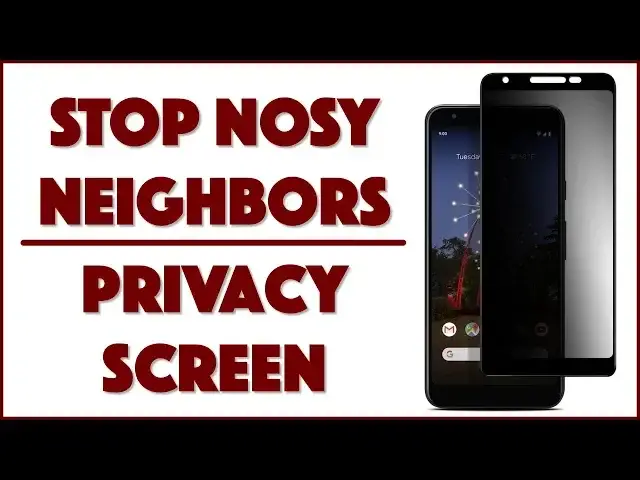
Tired of people looking over your shoulder or glancing at your phone screen even as you compose private messages or enjoy a picture or two? GPEL has your solution with the GPEL Privacy Screen, now for the Google Pixel 3a.
Tech expert Dave Taylor of https://www.AskDaveTaylor.com/ installs, demonstrates and reviews the GPEL Privacy Screen for the Pixel 3a, finding it easy to install and darn useful both.
Check it on Amazon: https://amzn.to/2EYSe4X
#teampixel #pixel3a
Show More Show Less View Video Transcript
0:00
A privacy screen for the Pixel 3a? Let's put it on and see how it works
0:12
Dave Taylor here and I'm still enjoying my Google Pixel 3a. It's a really nice little
0:18
budget smartphone and apparently it is telling me there's stuff going on. How cool is that
0:23
But here's the thing is that they're not very private. Modern smartphones you can see what's
0:27
on the screen for quite a range which means someone sitting next to you can certainly
0:33
quite easily sit and watch what you're doing. That's kind of a drag. So enter this. This is
0:40
the G-Pel privacy screen for the Google Pixel 3a. Now they have privacy screens for a ton of
0:46
different smartphones and of course you want to get exactly the right one so it's exactly the right
0:51
size dimensions and has all the right shape for your exact phone. So let's see what's in the box
0:58
We're going to go ahead and put it on and then when we're done I have an OtterBox case for the
1:03
Pixel 3a and we'll see if the screen protector is case friendly too. Now open it up and it's
1:09
pretty standard set of instructions. Let's see what's inside. There's a happy sticker or not
1:14
happy sticker. Okay there's the installation kit and there is of course the actual glass screen
1:22
protector. So let's see the box has instructions and I'll tell you the first thing I did is I
1:29
washed my hands thoroughly because the first thing you want to do is get the oils off your fingers
1:33
otherwise it kind of ruins the whole thing. Then we're basically just going to clean this and get
1:39
it squeaky clean then put the screen protector on rub it around done easy right. So they say
1:46
open the kit. All right we're going to open the kit and let's see what's in this installation kit
1:51
and in the kit we have let's see a lint free soft cloth really nice and soft actually
2:03
and a let's see an alcohol cleaner and two dust removal stickers pretty exciting. Now they say
2:15
you should clean with the alcohol wipe then remove the adhesive cover from the back of the screen
2:21
protector place it on and then put it on. So actually they don't even tell you to use the
2:28
dust removal stickers so we're going to improvise a little bit. So I'm going to start as they
2:32
suggest with the alcohol cleaner and this is basically the same thing you'd get at any decent
2:38
barbecue place to wash your hands or to like keep clean your fingers off after you've indulged in a
2:43
rack of ribs or something. So it is basically just a wet piece of cloth and you want to have it on a
2:50
nice flat surface so you can work with this and not hassle. So easy enough if you can't do this part
2:57
then you probably can get someone else to help you but even people that don't like keeping things
3:02
clean should be able to manage this. We want to do a nice job here and let's see I think that's good
3:11
and now I'm going to look and see if there's any I don't see any dust but we're going to use the
3:18
dust removal sticker anyway because hey it comes with two right. So this is easy you literally just
3:24
do that you put it on and you can have some fun with it I suppose but mostly you want to do this
3:31
on the edges. So there we go and now I'm going to use this just to make sure it's nice and clean
3:39
and of course the phone is actually going a little wonky here because it's like what the heck are you
3:45
doing right now. Tough luck phone cope. Right I suppose you do it with the phone off but I've
3:50
never actually done it with the phone off and now here we have our screen protector and you can
3:55
see already that it is a directional piece of glass. Now it's interesting it's actually Japanese
4:02
Asahi tempered glass and Asahi is sort of the Japanese version of Gorilla Glass which comes
4:07
from Corning. So similar glassworks that focuses on super strong glass. This is a 9H hardness
4:15
an oleophobic coating and you always want that on a screen protector or even on a screen itself
4:20
if you're touching it you don't want it to end up with a bunch of fingerprints. So that's what oleophobic means. It is 0.33 millimeters thick and I can already see it has rounded edges which is
4:32
good because you want to have that nice feel to it and let's see so now they are telling me
4:39
to remove the adhesive cover from the back of the screen protector place it on the phone and then
4:44
gently press the middle so this is really not much to this task so I think I'm actually making
4:50
it harder than it needs to be by explaining it rather than just doing it but we're ready to roll
4:56
so the phone is clean I have the phone and the screen protector on the same orientation which you
5:02
can tell because there's little cutouts on the top of the protector it is now off of the protective
5:09
backing and just basically just need to line it up as centered and perfect as possible that looks
5:18
just about ideal and then I use the soft cloth to push the center and the way these adhesives work
5:26
is it actually will stick by itself though you know there's often little spots that you need to
5:34
rub a little bit more enthusiastically and then you know telling how well it worked is a function
5:41
of actually looking at it at an angle which of course should also give you a chance to see
5:47
how the protective part works and this looks pretty perfect actually I do have the advantage
5:53
of having installed many of these but now straight on it's not quite as bright that's the price you
6:00
pay but look how quickly it goes black so you know someone's looking over my shoulder they're
6:06
looking at it and they're like your phone's off what are you doing but for me it's straight on
6:11
so I'm seeing it perfectly well so again let me show you that is that when you're looking at it
6:16
straight on there's really very little impact from this but even just a little bit off and it's gone
6:23
black so that is exactly what it's supposed to do and it does so this is a 60 degree field of view
6:29
which means instead of having it be like 180 you're giving it like that is your viewing angle
6:34
and someone here someone sitting next to you on the bus or the plane glances over and they either
6:41
see nothing or they see the barest and faintest of all possible screens exactly how you want it to
6:47
work it is installed I think the feel with the rounded edges is great only one more thing left
6:54
to try which is will it work with the case now Otterbox these are probably the worst case scenario
7:00
case scenario because they're very covering cases and indeed it is on here it is in the Otterbox
7:08
case and it's still perfectly functional and just to show you you can see you know phone still works
7:16
exactly as you would want it to and I goodness knows what I'm doing as I'm pushing all these
7:22
buttons but you can see that there's nothing slowing you down in terms of using the functionality
7:28
of the phone all the touch system works you know the screen looks fine you can look at it horizontally
7:34
or vertically and that works fine but again get it in an angle and it goes black it's really more
7:41
designed I think for this but it works either way and it's pretty slick I am not super paranoid but
7:49
I don't really like other people looking at what I'm doing and watching my screen so I like something
7:54
like this and this is a keeper for sure and of course since it's 9h tempered glass it just gives
8:00
you another layer of protection against your screen cracking or being damaged which is bad
8:05
so that's it installed done demoed not too bad now before I tell you how much it is and you're
8:12
going to just go well yeah I'm going to go buy one but before we get there let me ask if you
8:16
can subscribe to my channel really appreciate when you do that cool now this is the gpal privacy
8:22
screen for the google pixel 3a they have it for a wide variety of other phones it is $14.99 at
8:29
amazon.com make double sure you're getting the right one because I have a lot of options you
8:34
want exactly the right one for exactly your phone don't get one that's close get the right one and
8:40
that'll make a difference easy to install and the benefits of having it on I think are absolutely
8:46
demonstrated right there in the ability for you when you're looking at it to see it perfectly fine
8:53
but everyone else to just have a black screen total win totally worth checking out and with
8:59
that this is Dave Taylor I'm going back to my phone which means I'll catch you in my next video