Up next in 10



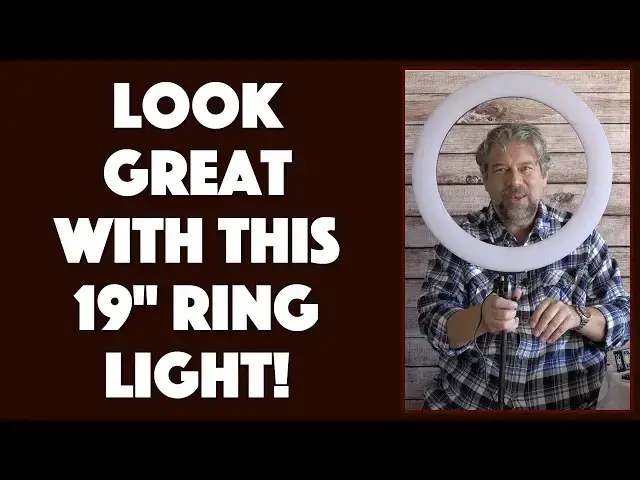
Lighting is critical to both photography and video work, but getting a nice, even illumination on a face can be challenging. Light yourself for Zoom, Skype or Microsoft Meet and it's even more tricky. Enter the GIM 19" LED Ring Light with Tripod Stand that can solve all these problems at once. Tech expert Dave Taylor of https://www.AskDaveTaylor.com/ checks out the GIM light and demonstrates its different color temperatures (3200K to 5400K) and brightness levels too.
Check it on Amazon at https://amzn.to/2JJbJDU
Show More Show Less View Video Transcript
0:00
Solve all your lighting problems with this cool ring light. Let's check it out
0:03
Dave Taylor here and I want to talk about lighting. Whether you're doing video or
0:16
vlogging or photography, getting nice even illumination on your subject's face is really important. That's what this is for. This is what's known as a ring light
0:27
And you can see my phone's right smack dab in the middle of that. So if you look
0:32
at the illumination I have on my face now, it's not very good. This side is nice
0:36
and well lit, although obviously I can do the shadow, it's well lit, but this side
0:41
is a little dark. So therefore I need to start using lights and fill lights and
0:46
everything to start getting a more even illumination. If I drop into black and
0:51
white it gets a little noir, so that's real fun, but that's not generally what
0:55
you want to do. So that's what this is. This is the Jim 19-inch LED ring light
1:02
with tripod stand and it's the whole setup, everything but the phone, right? So
1:07
it has the holder, it has this little adapter neck, it has, as you can see on
1:13
the table, lots of other ways you can connect your phone or DSLR or video
1:19
camera to this. And the tripod, let me just close it up for a second so you can see
1:24
it's a really nice tripod and the base is really strong and it's very
1:30
adjustable. There are three quick release holds here so you can raise this up to
1:35
six and a half feet. So if you want to have an illumination source that's a
1:39
little bit higher than your subject so it's pointing down at them a little bit
1:43
you can do that too. Now the basic idea, let me just sort of put this here, the
1:49
basic idea is that you want, generally speaking, your camera to be at the same
1:54
level as the bridge of your nose or maybe a little bit higher. Shooting down
1:58
a little bit is actually very flattering for photography and for video work. So
2:03
what I have here is a pretty good setup. Now what I want to do is I want to
2:08
actually turn the light and get it to work just right. So let's go ahead and
2:13
I'm going to turn it on and it has many stages of brightness. So there's just the
2:18
minimum brightness level. We'll turn it up just a little bit and watch the
2:22
illumination on my face as I do this. So you can see right there it's about even
2:28
illumination and then I can just keep going and then really, you know, pour that
2:32
light on where now this side of my face is a little bit under illuminated. So you
2:38
know this has many many steps of brightness as you can see. It's actually
2:42
composed of, and this is gonna, you know, I will totally be in the dark now, it's
2:48
composed of 528 individual LEDs and a little hard to see but there we go. My
2:55
camera, my video camera actually then recalibrates its auto illumination level. So I'll turn this back on and then separately there's a control for color
3:09
temperature and that's really important because this is a very blue light but
3:15
you can actually change it to be a more warmer orange-y yellow light and I can
3:20
tell you if I point this at myself you can see, watch again on my face, how, you
3:28
know, the different colors really bring out a blue or a more of a warmer yellow
3:33
and so those temperatures are 3200 Kelvin to 6500 Kelvin and that's the
3:39
same thing when you buy a light bulb for your house. Generally speaking you want
3:43
to have a warmer yellower light and, you know, that sort of harsh blue light is
3:48
something we associate with like workspaces or schools and things like that where you want to be bright and alert but this is just a warmer more
3:56
flattering color. Now it also comes with a remote control and I was a little
4:01
confused when I first got the remote control. I thought, oh it's a remote control for the light. No, it's a remote control for your phone. So it works with
4:09
Android or iOS. You just pair it as Bluetooth and the benefit of this is
4:14
that I can do something like this and turn this camera around a little bit and
4:20
I will show you this footage. So I can now dial the illumination that I want
4:28
Let's turn this up a little bit and then I can use the remote control to actually
4:36
turn on and off or to take a picture. So let's start with a picture and then I'll
4:40
give you a close-up of it. So here I'm going to take a picture. That was easy
4:47
enough and now I'm going to switch to video and in video while I'm using the
4:52
video I'll reach behind and I'll dial different temperatures. So let's see what
4:56
that looks like. So now I'm going to dial different temperatures. We'll see how
5:02
that comes out. So there we are with the warmest possible color and then I will
5:08
change it to be the most blue or bluest possible color and you can see my skin
5:15
tone changes fairly dramatically across those two and then of course if I do
5:20
this and then turn the brightness way up then it again is a very different look
5:25
So let's switch back on camera. All right so let me turn this down a little bit
5:32
there and get it out of my face man. So it comes with a ton of accessories. There
5:40
are two versions of this sort of sliding vertical orientation camera holder
5:47
although I guess you could use it this way if you wanted and then there's one that you can put your camera on or your phone on like that and then it comes
5:56
with a little ball mount. All of these you can put either right at the base of
6:01
the ring as I am doing here or by using this adapter you can put it on the pole
6:07
and put it at the point you want. Again tons of flexibility. This whole thing
6:13
feels really solid and reliable. I'm really pretty impressed with it. The
6:17
power cord plugs directly into the back so there's no sneaky having it go down
6:22
the center of the tripod which I kind of like. It's one less thing to worry about
6:26
and then it has a fairly hefty transformer. Let me just sort of pull
6:31
this up too. So you can see this is part of the power system. Looks like I just
6:36
unplugged it and so you have a part that goes to the wall. It's a three-prong so
6:42
it's grounded. Then you have this and then you have a nice long cord that
6:47
takes you all the way up to the back of the lamp. Now the tripod can raise up to
6:52
six and a half feet so you can have this above someone giving you a nice
6:56
illumination from above which can be very attractive. Let me turn that back on
7:02
What else can I tell you? It comes with instructions which are fairly
7:06
informative in terms of how to get all these different things hooked up. One
7:10
thing I didn't realize for a while is that this little piece which is a sort
7:15
of a screw-to-screw adapter starts out in the base of the ring. So you need to
7:22
take that out before you can use other things like this tripod or this
7:27
extension neck. They call this a gooseneck. So that just screws directly in and if I want to do something else I can literally just
7:34
unscrew it and then I can put something else in or take my phone out or whatever
7:42
it is I want to do. So lots and lots of flexibility here. This by itself is the
7:47
kind of thing you could use with your DSLR because then your DSLR can go
7:52
straight on to here and this whole setup is definitely strong enough to be able to handle a heavier camera. Let me give you a
8:00
quick view of the back so you can see how those two controls work. As you can
8:04
see one of them is brightness and the other one is color temperature. So that's
8:09
pretty much everything I've got for you. The only other thing I want to mention
8:13
is it does come with a carrying bag which is nice. This is this pretty big
8:18
bag but if you want to go on location or something you can put everything in here
8:23
and carry this along. Now it is not battery-powered. It does have to be
8:28
plugged in but if you're going to visit someone or you're, I don't know, going to
8:33
be on vacation and you want to take this onto the patio and use it for some video
8:37
or something then it's very easy to transport and the whole thing feels
8:42
pretty reliable. This has a nice heavy-duty plastic cover on it which is great and then all in all the whole thing's about eight pounds
8:52
including the weight of the power transformer. So let me give you a nice
8:56
straight-on shot here and I'll go right in the middle there because now you
9:01
definitely can't see me until I turn the brightness off. Now I come back
9:07
that's my video camera compensating but this is it. This is a pretty nice device
9:12
So the only thing left to talk about is the price and before we get to the price
9:17
I'm going to ask if you can subscribe to my channel. I really appreciate when you do that. It's just a little red box on the lower right, a click or a tap and
9:25
boom you're subscribed. Great. Now I'm going to turn this back on. I'm going to
9:30
fix that illumination on my face and I will tell you as someone who does a ton
9:34
of video and a ton of online work with Zoom and Microsoft Meet and all these
9:40
other tools, getting your lighting right makes a huge difference on how you look
9:44
and your presentation and how you come across. So take the time and something
9:48
like this is a great solution and it's simple. Simple and easy. So how much
9:53
is it? Well this is the Jim 19-inch LED ring light with tripod stand and it is
10:00
$69.99 but right now at Amazon.com I looked and it was $64.99 at Amazon.com
10:07
Definitely one worth checking out and as you can see the illumination, the
10:11
flexibility, the tripod, the ability to actually have it be portable, all this
10:17
crazy number of accessories, all wins. Definitely worth checking out. So with
10:22
that I will catch you, I hope, in my next video
#Online Video
#Camera & Photo Equipment