Up next in 10



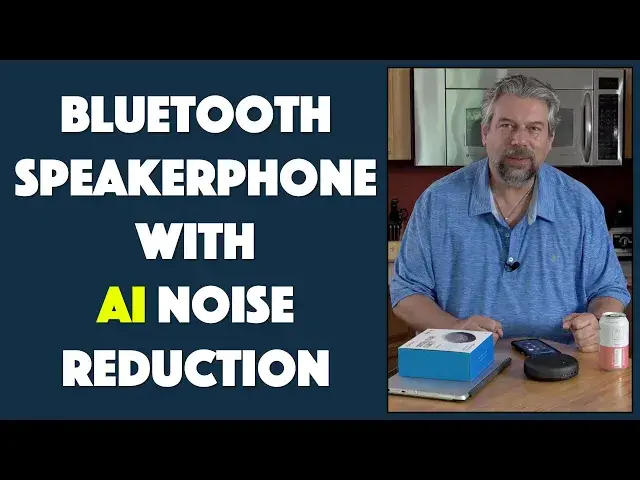
Spending more and more time talking on your phone, participating in Skype, Zoom or Microsoft Meet sessions? Stop relying on the mic on your laptop or the tiny speaker on your phone by using the eMeet Luna Wireless Bluetooth Speakerphone. It's small, highly portable and even features AI technology to minimize the background noise when you're in a loud environment (like working at home). Tech expert Dave Taylor of https://www.AskDaveTaylor.com/ tries out the eMeet Luna in a variety of situations and finds it's a quick way to up your entire telephony game!
Learn more here: https://amzn.to/38soDhK
Show More Show Less View Video Transcript
0:00
A speakerphone with AI-based noise reduction? Let's check this out
0:11
Dave Taylor here in my kitchen because we're all finding new places to work and they don't always
0:17
actually work great as conference rooms. But if you're like me, you're on Zoom calls, you're on
0:22
Skype, you're on Microsoft Meeting, you're just talking to your family, right? A lot of time on
0:28
the phone and that's why this is such a nice addition to your gear lineup. This is the E-Meet
0:35
Luna Bluetooth speakerphone and it is the next generation. I already reviewed the E-Meet M2 and
0:40
it's pretty nice, but this adds some cool functionality. Number one, better materials
0:46
but more importantly there's an AI noise reduction system on here. So it gives you the ability to be
0:53
in a relatively noisy environment and have that noise be cut a little bit down. I'll demo that in
0:59
a little bit, but let's talk about 360 degree pickup. It's full duplex so you don't have to
1:06
worry about stepping on someone or not hearing what they're saying because you get excited and
1:10
you start talking. And on the back, there's a USB-C for charging. There's an AUX and that is
1:19
a way for you to actually hook up. You can use this with speakers if you want to put it on the
1:25
stereo or something or on your TV and just use this as a Bluetooth receiver and microphone. You
1:30
do that. You can hook it up with an input wire if you want to try that configuration and it has the
1:36
Kensington format lock. So if you're using this in a shared space, you can make sure it doesn't
1:42
walk away in someone's backpack. All of that's great. Now the real controls are on top, but let
1:48
me tell you that there's also a secret gizmo on the bottom. So this is Bluetooth. You can use
1:55
it wired, but it's Bluetooth, but not every device has Bluetooth. So it includes a Bluetooth dongle
2:02
So if you have a computer like this or a tablet, you can literally just plug this into your USB
2:09
and it's an auto pair. It automatically knows that. So you turn this on and boom, you're connected
2:15
No drivers needed. Nothing. Super cool. Now, most people probably won't need that, but the fact that
2:21
you can just tuck this underneath and then never really think about it until you need it. And then
2:26
it's right there. Now, most of the controls are on the top along the front. And in this close-up
2:32
you can see that there is from left to right, the AI sound reduction system. There's hang up or pick
2:40
up the call, volume down, the big mute button, volume up, Bluetooth and power. And then notice
2:50
on the top, there's also an indicator light that gives you lots of feedback. You can get how far
2:55
you know, how charged the battery is, but you can also see if you press mute, then automatically
3:02
it's red. If I unmute it, it goes back to blue. The battery itself is 2,600 milliamp hour. And that is
3:09
from my tests. You will get a day or two of conversation out of that. And it's obviously
3:15
pretty easy to charge it up. You just plug it back into USB-C. You can do that off of
3:19
your computer, laptop, whatever, or you can just use a wall charger if you have one handy from
3:24
your smartphone, which you probably do. Now, what does it sound like? Well, while I was doing the
3:30
setup, a buddy called and I asked him, so let's cut to that for me. Oh, hey there
3:36
Howdy. Hey, I'm kind of in the middle of something, but hey, quick question. How do I sound
3:44
I don't sound too bad. Mildly tinny, but it doesn't sound like you're in a cave or anything
3:49
Oh, well, by coincidence, I'm not in a cave. So that works out really well
3:53
All right. Well, I'll call you back a little later, man. Okay. Thanks. Okay. Bye
3:58
So notice also that I was using this just as a speaker. So it is actually an audio device. So
4:14
I can push music from my phone onto this and enjoy it as a speaker. To be candid
4:21
it's not the greatest speaker in the world for music because it is, as you would expect for a
4:25
telephone and for voice, it's tuned to the higher frequencies and there's not much bass
4:31
You don't really need like a hundred Hertz sounds coming out of a speaker phone
4:35
That would just be weird, but you know, it does give you that feature. It also means that it
4:41
is also a remote microphone. So you can use voice recorder on your phone and use that as a
4:48
microphone. And that's exactly what we're going to do. So I'm going to do that to demonstrate
4:53
I'm going to let you hear the audio from this device as recorded starting now. And what we're
5:01
going to do is I'm going to talk into it as I'm doing now. So this is the audio you're getting
5:06
from the speaker phone. And then I'm going to turn on a background fan and then I'm going to turn on
5:12
the AI and then I'm going to talk some more. Ready? So we have this. Now let me get that fan going
5:19
And you can hear the fan gives you lots of background noise. And now I'm going to turn on the AI feature
5:33
Okay. It was actually off. It was on. I turned it off. Now it's on again. So a little bit of chaos
5:41
there, but you are getting to hear the difference in my voice with the AI on versus with the AI off
5:49
Versus with the fan off. So now let me turn the fan off again. And let me go ahead and stop the recording. So you'll be able to hear that. And you know
6:01
using that AI system, it doesn't give you quite the clarity you get when you're just talking
6:06
regularly. But if you're in a loud environment and you need to be able to get rid of some of
6:11
that background noise, it's a pretty sweet feature. One of the other cool things you can do
6:16
is if you have two of these, you can hook them together or tether them and they will work
6:22
together. So you can put them on when you are back in the office and you have a big conference table
6:27
you could have them stretched across the table and support up to 12 or more people on a single
6:33
speakerphone or on a conference call or something really nice. Obviously it's just an audio device
6:39
as far as your computer or your phone are concerned. So you can use this for podcasts
6:45
If you want to interview someone, you can use this on a Skype or a zoom call. You know
6:50
you can just use this for playing music or listening to the audio from a TV show that
6:54
you're streaming. So much flexibility, really nice. I'm really impressed with this for its task. It's
7:01
a very well-designed device. Now dimensions, it's just a bit under five inches across and it's one
7:08
and a half inches thick and it's about 10 ounces. So it's very portable. It does not come with a
7:14
carrying case, though you would think it could, but it does come with, if we look in the box
7:20
it does come with an AUX to AUX cable, which is not a surprise. That's what I would exactly think
7:27
it would come with. And you want to guess what the other one is? Anyone, anyone? A charging cable
7:33
a USB-C charging cable. So between those and obviously the instructions and stuff, but honestly
7:39
this is pretty easy. Pair this via Bluetooth with your computer, your tablet, your phone
7:45
whatever it is, and then you can carry this around. So I could have this in the kitchen while
7:50
I'm cooking and be chatting with my friends or my family, even though my phone is safely in another
7:57
room. That's really cool. And obviously if I'm on a zoom call or something, that microphone is going
8:03
to be better than the microphone built into my computer. So that's going to give me much better
8:08
audio, even as the video might still be on my computer device. So lots of flexibility, really
8:15
really a fan of this. I mean, eMeet just does a nice job. They're focused on these products
8:20
and they know how to make them work well. So demos hopefully have demonstrated that to you too
8:25
Now what's left is the price. But before we get to the price, I'm going to ask if you can subscribe
8:30
to my channel, just click or tap on that red subscribe button. Done. Cool. Thank you. Now
8:37
this is the eMeet Luna Bluetooth speakerphone and it's $99.99 on amazon.com. And honestly
8:47
if you're stuck working at home, you might ask your boss to cover the cost of this because it's
8:51
going to sound so much better and she will get the benefit of it rather than using your phone
8:57
and pretending it's a speakerphone. So definitely a great upgrade for really almost any family
9:03
having this in a dorm room so your kids could talk to you while they're busy doing video games
9:09
or studying or something. All a win. So definitely worth checking out. And with that
9:14
I am going to actually go back to my music, which means I'll catch you in my next video
9:33
Bye
#Consumer Electronics
#Audio Equipment
#Teleconferencing