Up next in 10



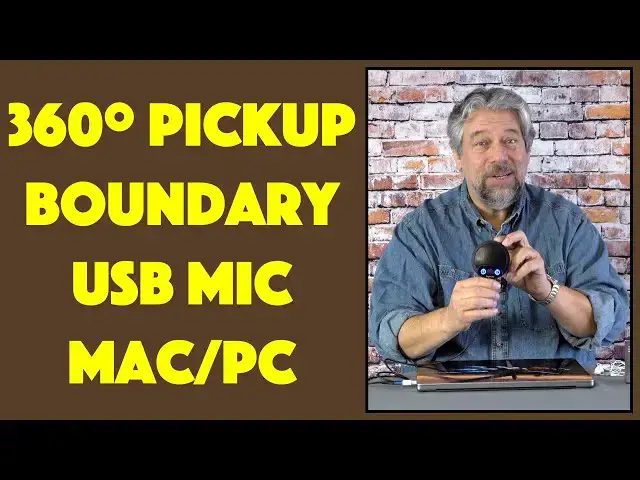
Tired of having to swing your computer around when other people with you want to talk to everyone on a Zoom, Skype, Twitch, or other live call? Then you'll definitely appreciate the Digital Life ME1 USB Boundary Microphone. It's also perfect for the middle of a conference table if you're at work, or the kitchen table so grandma can hear ALL the kids! Tech expert Dave Taylor checks out the Digital Life ME1 USB Boundary Mic and finds lots to like - especially that great cable! - and few limitations at all.
Check it out at: https://www.DigitalLife.shop/
Check out Dave's Q&A Web site at: https://www.AskDaveTaylor.com/
#usbmicrophone #microphone #digitallife #usb #mic #skype #zoom #facetime #twitch #askdavetaylor
Show More Show Less View Video Transcript
0:00
Upgrade your computer to a 360 degree mic
0:03
Let's check this out. Dave Taylor here, and if you're like me
0:14
you spend a lot of time on your computer, probably on web chats and Zoom, maybe just phone calls, right
0:21
And turns out that your devices are very directional. So this setup works really well if I'm talking
0:30
But if you're sitting on the other side of the table from me and you also want to participate, it doesn't work
0:36
The microphone's not going to pick you up. Enter this. This is what's known as a USB boundary microphone
0:44
This is the DigitalLife ME1 USB boundary microphone. And it's a surprisingly heavy little device
0:52
and it has multiple microphones in it. So you just put it in the middle of the people
0:58
that want to talk, and everyone gets picked up. It's a 360 degree pickup, which is super important
1:05
Because now, if you have multiple people, like at a conference room, or you're sitting at your desk
1:11
or you're working from home, and you want to have someone else jump on and be part of the call too
1:17
then they'll all be heard and everyone will be at the same volume
1:21
That's pretty smart. Now, the device itself is really nicely engineered. It's made out of all metal
1:27
I think it's all aluminum. And it's surprisingly heavy. It is 200 grams
1:33
So it is not, I get a lot of devices where it's like, is this even here
1:37
Is the box empty? But this one, it has some heft to it. It feels really tough and rugged
1:43
And as you can see, it has buttons at the bottom. Now, what do they do
1:47
Well, this button on the left, if you push it, it's now red
1:52
That tells you that the microphones are muted. So this would commonly be, hang on just a second
1:57
We need to talk about that. What do you think about what this guy is saying
2:01
OK, let's get back on the call. And you could do that sort of thing. Now, this looks like a speaker too, but it's not
2:08
This is just the microphone pickup array. So the device actually has an audio out capability, interestingly
2:17
It is a 3.5 millimeter jack on the back. And if you utilize that
2:23
you can also pause the audio output with the other button. That's what those two do
2:29
So you could use something like earbuds if you want it to be the only one hearing
2:34
or more likely, you could plug it into a big speaker and get better audio quality
2:39
because you only have one connection or because that's how you wanna do things
2:43
Generally speaking, when I've used it for things like Zoom or Skype
2:47
I have just gone into the settings and made sure this is the input
2:51
and my computer's the output. Easy enough. Now, the dial in the middle is gain
2:57
And I'll give you a demo in just a second. But basically, the higher you turn it
3:01
the louder you're gonna be from the microphone. And it ships with one of the nicest looking cables
3:07
I've ever seen. This is actually very impressive. This is a USB-C to USB-A
3:15
which unfortunately on my MacBook Pro meant I needed an adapter because I only have USB-C
3:20
Easy enough. But this is just a really nice cable. I mean, they sort of went overboard with this cable
3:28
I'm very impressed with the braided cable and reinforced connectors and that cool blue color
3:34
Kinda wish the blue was picked up on the design of the unit itself
3:38
So it goes. But easy enough, you plug in the USB-C to the device
3:45
and then you plug in USB-A to your Mac or PC or Chromebook
3:49
I haven't tested it, but I'm pretty sure it would work on a Chromebook. And then plug this into your device
3:56
And you know that it's working when the lights come on. Easy enough
4:00
And technical specs wise, it is an omnidirectional polar pickup, 20 to 20,000 hertz, 48 kilohertz at 16 bits
4:09
So it's really good quality. You are gonna be able to sing a song
4:14
or demo your latest guitar solo, whatever. And it's gonna sound really good
4:19
So that is what they call CD quality, that 16 bit at 48 kilohertz
4:24
And it's metal construction, like I said. So really, let's do that demo
4:28
And to do the demo, I'm gonna launch Audacity on my Mac
4:32
and I'm gonna just record myself talking. But what I'm gonna do is while I'm talking
4:37
I'm gonna rotate that 180 degrees so you'll hear that there's no difference
4:43
And that's pretty slick. Now, let me get things set up. All right, so this is Audacity
4:48
which is an open source program that lets you do audio recording and editing
4:53
Mac, PC, fantastic, free software. Definitely one worth checking out. In this case, you're hearing me currently
5:01
through my regular microphone. But let's switch. And the way I'm gonna switch is I'm gonna actually switch
5:06
to the recording that I'm gonna make. So it's gonna sound slightly different
5:11
You ready? Let's do this. So now I'm using the microphone and you can hear it sounds different
5:18
So first thing I can do is let me go ahead and adjust that microphone volume
5:22
So what should happen is I should get softer and softer and then I'm gonna turn it back up
5:28
so I get louder and louder. So this is the quality of the microphone
5:32
and I'm about 18 inches away from the mic right now. And I'm gonna rotate it 180 degrees
5:39
So the equivalent here is if I took my laptop and spun it around and it would not sound as good
5:46
So this is what it sounds like and hopefully you're saying, hey, that sounds pretty good
5:51
So let me switch back everything and get back on camera. So hopefully that demo was interesting and informative
5:58
and you can see here, this is how far away I was from the microphone
6:02
So you can easily imagine that you just put it in the middle of a conference table or your dining table
6:09
and everyone gets to talk and everyone sounds the same and there's not like a favored direction
6:15
That's what omnidirectional means. And it's actually just a really simple and slick device
6:21
with a really nice setup. And it is plug and play. So there's nothing special you gotta do
6:27
Actually, I guess I'll keep it plugged in. So really out of the box, plug it in
6:32
and just make sure you've selected the correct input for your microphone to work and you're good to go. Great
6:39
So all we need to talk about is the price. But before we get to the price, I'm gonna ask if you could subscribe to my channel
6:46
Really appreciate when you do. Having a lot of subscribers gives me leverage
6:50
to get devices and products and gadgets and gizmos and give you fair, honest and candid reviews
6:57
Why wouldn't you wanna subscribe? See, there we go, cool. Click or tap on that subscribe button
7:01
Give me some other feedback, leave a comment, whatever. I respond to every darn comment
7:06
Well, at least I read every comment. I don't necessarily respond to everything, but I see what you do and I see your comments
7:13
So leave me a comment. All right, this is the Digital Life ME1
7:19
USB boundary microphone and it's 55.99, currently discounted on their website to 45.99 at digitallife.shop
7:30
It's definitely one to check out. If you have found that you have problems
7:33
with your microphone pickup, with your current audio setup, this is a really elegant solution worth checking out
7:40
That's all I got. Hope to catch you in my next video. All right, bye
7:44
I'm gonna go get my coffee. I'm gonna get my coffee. I'm gonna get my coffee. I'm gonna get my coffee. I'm gonna get my coffee
7:48
I'm gonna get my coffee. I'm gonna get my coffee. I'm gonna get my coffee. I'm gonna get my coffee. I'm gonna get my coffee
7:53
I'm gonna get my coffee. I'm gonna get my coffee. I'm gonna get my coffee. I'm gonna get my coffee. I'm gonna get my coffee
7:57
I'm gonna get my coffee. I'm gonna get my coffee. I'm gonna get my coffee. I'm gonna get my coffee. I'm gonna get my coffee
8:01
I'm gonna get my coffee
#Consumer Electronics
#Audio Equipment
#Voice & Video Chat
#Virtual Reality Devices