Up next in 10



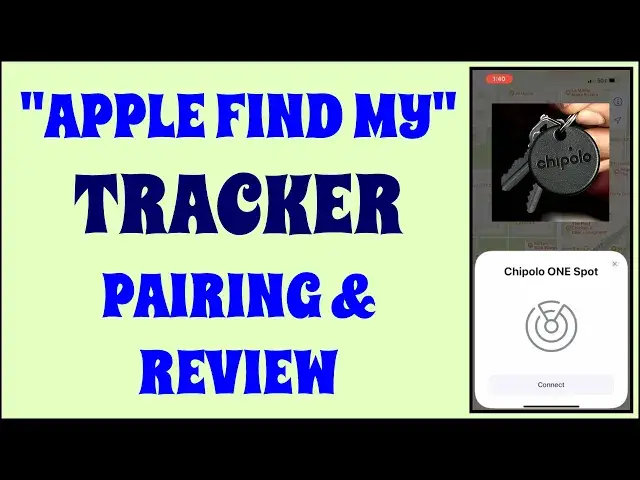
Love the idea of a tiny little tracker tag on your backpack, briefcase, purse, or keys, but find Apple's AirTag a bit clumsy in design? Then you'll really like the Chipolo One Spot, a far better-designed tracking tag that uses the exact same Apple Find My network and app. Tech expert Dave Taylor shows how to pair the Chipolo One Spot with the Find My network, then demos some of its cool features.
Check it out at: https://www.Chipolo.net/
Check out Dave's Q&A Web site at: https://www.AskDaveTaylor.com/
#chipolo #tracker #findmy #airtag #askdavetaylor
Show More Show Less View Video Transcript
0:00
Constantly lose stuff? This tracker will help you find them. Let's check it out
0:11
Dave Taylor here and I'm checking out this. This is the Chipolo One Spot. Now, let me start right
0:17
off by saying the Chipolo One and the Chipolo One Spot are pretty different products. They look the
0:24
same, although the One has more cheery colors, but the Spot means that it works with Apple's
0:30
Find My Network, which turns out to be really great because like so many different tracking
0:37
devices, they're only as good as the network of other mobile devices that are part of that
0:43
network. So get onto the Find My Network and you have hundreds of millions of phones out there in
0:49
the world that can identify and help you find whatever you've tagged with this. Now, the obvious
0:56
question is how does it compare to the Apple AirTag? So just happen to have an Apple AirTag
1:01
So you can see here, it's a little bit bigger, but they did one thing that Apple didn't do and I
1:08
don't know why. Apple has this coin-like object, but there's no hole in it for a key chain or a
1:15
loop or anything. The Chipolo has a significant advantage because it has that little hole right
1:21
there on the front, and that means it's a whole lot easier to work with. Now, it is a third-party
1:27
tracker. It works exclusively with Apple Find My. It can ostensibly give you out-of-range alerts
1:35
through Find My, but it's important, Chipolo's app doesn't work with this. This is a third-party
1:42
thing, right? This is going to look a whole lot like one of the Apple AirTags. In fact, they're
1:48
even almost exactly the same price, but that also means that this gives you some capabilities with
1:54
voice systems like Alexa, Siri, and Google to some extent, but most importantly, it gives you a nice
2:01
audio tone up to 120 decibels to help you find something that's lost. I'll demo that in a second
2:08
It's IPX5 water-resistant, so if you have it attached to your keys and you put them in the
2:14
washing machine, it'll probably come out still functional. Not recommended, but for sure if you
2:20
actually, like, I don't know, leave them out and it's in a rainstorm, then you're going to be okay with that
2:25
Not necessarily recommended, but it's how it is. And so then the question is, all right, well
2:31
how long does the battery last? And the answer is, it's about a year battery life, so it's
2:36
approximately the same as the Apple AirTag, and it uses a super common CR2032 little watch battery
2:44
It's about the size of a US dime. Really easy. You literally put your fingernail in, pop it open, and
2:51
the battery is right there. Super easy to replace. And dimensions-wise, it's 1.5 inches by a quarter
2:59
inch thick, and it comes in exactly one color, almost black. That's what this is. So, cool. Now
3:06
let's play with this a little bit. So, first off, I want to show you how I paired it. And I did this
3:12
not at home, because I really like you, but I really didn't want to have my home address on a map
3:17
So, I'm going to walk you through what I did. So, first off, as you can see, you go in to find my
3:25
I already have the AirTag. That's what this is. This is computer bag. And I just added, said
3:32
add new device. And then it says, basically, put the device near it and activate it, which is just
3:38
a push. And then it sees the Chipolo, and it adds it to the network, then giving me the opportunity
3:46
to give it a meaningful name. And I gave it backpack. And then I could actually add an emoji
3:54
And I thought going with that backpacking theme, I'd do a tent. And then it's good to go. I am
4:00
ready, and it's on the network, and I can see it on a map. Now, where that gets, obviously
4:06
really important is that this can then go far, far away. And I'm actually going to be attaching
4:12
this to my daughter's backpack. And if she loses or forgets her backpack at a friend's house or
4:18
something, we can just go in to find my and see her backpack tag, which is arguably exactly what
4:24
it is. But we can see the tag's last known location on a map. How handy is that? How many things do
4:32
you lose? And then days or weeks or months later, you find out, oh, I left it in that drawer at work
4:38
or I left it at the nightclub because I forgot to grab my coat, or whatever it is, right
4:43
So there are many things in your life that I imagine would be benefited by you actually having
4:50
one of these location tags. So let me fire up Find My, and I'll show you something else I can do
4:56
too, which is really cool. Let's go to Items. And you'll notice I'm not showing you my screen
5:02
because now I am back at my house, and I don't want you to see it, right? But here's what I can
5:07
do is I can play a sound. So if you've lost something, imagine being able to just have that
5:16
trigger remotely, and then you're hearing and you're like, where, where? Oh, there are my keys
5:21
They're behind the couch cushion. Handy, right? So you can also have notifications. So you can
5:28
notify when it's found if you've marked it as lost. You can notify when it's left behind. And I always
5:34
do that except for one location, which is if I leave it at home, don't tell me because it's at
5:40
home. That's okay. There's a lost mode. There's a lot of stuff. I really like Find My. It's a very
5:46
well-designed piece of software that Apple not only makes available on mobile devices, but it's
5:52
also available for your Macintosh or your iPad. So you can get a nice big map, and if you are like me
5:59
then you might have family members that also have Find My turned on so you can track each other. So
6:04
it's like Mission Impossible, right? Where you're like, where is that person? There they are
6:09
But you can also do it with devices. You can do it with items. So I have this in my computer bag
6:16
and we're going to have this in my daughter's backpack, and we'll always be able to know where
6:20
the two of them are. Now, to be candid, if there is a super sophisticated thief, then I suppose they
6:28
could steal something, dig through it, find something like this, and then just chuck it out
6:33
the car window. But let's be realistic. That's not a situation that I'm dealing with. What I'm
6:38
trying to manage is remembering where you left something. So if I have my computer bag everywhere
6:45
and then I'm in a rental car, and I leave it in the trunk, and I forget about that, now with this
6:50
device and this technology, certainly like with something like the Chipolo, I can then find it on
6:55
a map and say, oh, oh, oh my God, I know where that is. I need to go deal. Really, really handy
7:02
I'm a big fan of these little tags. Some people do have some concerns about privacy, but I believe
7:08
that if it's only registered to my Find My app, especially with Apple, I think they're more
7:15
trustworthy than third-party companies. And if it's just registered with my app, no one else can
7:21
see its location. And I will also hasten to say that if you use this on a pet collar, then remember
7:28
this only works in as much as there are phones near it. So if your dog runs into a far forest
7:37
and there is literally no devices within five miles, you're not going to find them. It doesn't
7:41
work that way. That's not its purpose. But if your dog runs down the street and someone takes
7:47
it into their apartment to take care of the dog until they can find the owner, odds are pretty
7:52
good that there's going to be an iPhone within 100 feet of there. And then that'll pick up this
7:58
actual sort of ID messaging, and it'll be able to say, ha, I found this device. And so it'll report
8:06
it to the network. And then your Find My will connect and find that because you're looking for
8:11
them. And then you'll be able to see where they are on a map. Imagine how nice that would be
8:16
next time you have a pet that runs away. But as some people have complained, this is not a GPS
8:22
tracker per se. It requires the Find My network, which requires a network of Apple iPhones to be
8:31
sort of like a mesh network. And then this exists within that network. And honestly, for most people
8:38
that is absolutely not a problem. And it is the exact same limitation that you have on the Apple
8:42
AirTag. So that's everything I've got about the Chipolo OneSpot, except we need to talk about the
8:48
price. But before we get to the price, I'm going to ask if you could subscribe to my channel
8:53
really appreciate when you do that a tap or a click on subscribe, and give me some feedback
8:57
What else do you wish I would have demonstrated about this? Or what did you find super helpful
9:02
and interesting that I did demonstrate? Either way, super helpful. Okay, this is the Chipolo
9:09
OneSpot. And it is $28 or they have a promo right now for four of them for $90 at chipolo.net
9:19
Four for 90 is a wicked good deal. Remember, these are $29 each, but Apple doesn't ever do
9:25
quantity discounts or anything like that. So these are $29 each. If you want four of them
9:31
you can figure out it's a lot more than $90. And no little key ring hole. Big fan of the key ring
9:38
hole makes it so much easier to work with. Anyway, that's what I got. I need to get this slipped into
9:43
my daughter's backpack and then I need to put this back in my computer bag. So I'll catch you in my
9:50
next video. Transcribed by https://otter.ai
#Gadgets & Portable Electronics
#Other