live_tv
Livestream Starting Soon
00
Hours
:
00
Minutes
:
00
Seconds
Up next in 10



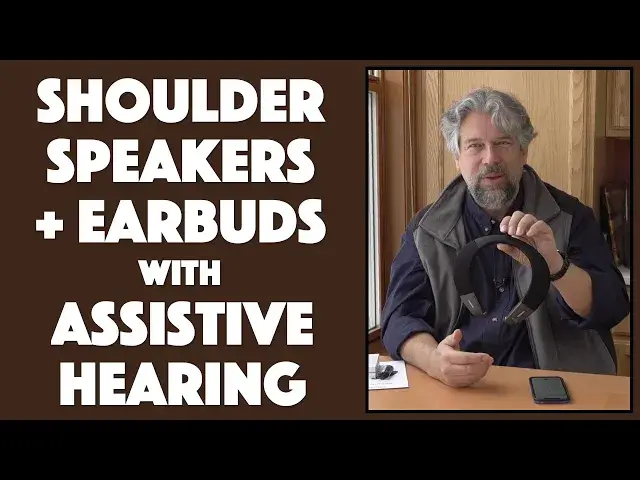
Imagine a pair of earbuds that combine with two speakers that can sit comfortably on your shoulders. Add a great microphone and some assistive listening tech and you've got the BeHear Proxy Shoulder Speaker and Earphones from Wear & Hear. Tech expert Dave Taylor of https://www.AskDaveTaylor.com/ checks out the BeHear Proxy and finds that there really is a lot to like in this slick integration of assistive hearing tech, hearing aid circuitry, a Bluetooth speaker, and much more. It's expensive, but there's a lot to like nonetheless...
Learn more at https://www.WearAndHear.com/
Show More Show Less View Video Transcript
0:00
A speaker you wear around your shoulders
0:02
Let's check this out. Dave Taylor here and I'm checking out this
0:13
This is really cool. This is the Be Here Proxy shoulder speaker from where and here
0:18
And at its most obvious, it's a pair of speakers that you can put around your neck and you can listen to content
0:25
But there's lots of hidden features. But let's start out with just the music
0:29
So I've paired via Bluetooth with my smartphone, and I'll just put on some music
0:35
And there are controls on this side that let me go to next and previous track and pause and play
0:41
In fact, let's go ahead and pause it there. So all of those features are really great
0:46
And obviously, it's super convenient to have this here, particularly when you can go up to 10 meters or 33 feet away from your Bluetooth source device
0:55
But another cool feature is that it has. built-in earbuds. So I can put those in my ears and then I'm going to turn the music back on and
1:06
then there's a little switch on the side that lets you choose which audio output you want
1:11
So I'm going to do that and then I'm going to switch and now I hear it in my earbuds and I got to say it sounds really good
1:23
All of a sudden there's way more bass. In fact in the interest of not just zayabuds, and I got to say it sounds really good
1:29
zoning out on the music. I'm going to have to stop that. Then there's little buttons you push and
1:33
they retract these back up and I can obviously switch it back to speakers. And you can also get into
1:41
as it just told me, there's what's known as hearing mode and it will amplify the sound around you
1:47
So these are also like a hearing aid device. Really cool. But there's more because it also has a
1:54
built-in microphone. So you can pair it with a Bluetooth device. Then you can
1:58
take a phone call. Well, let's see what that sounds like. So what I'm going to do is I'm going to record and I'm going to record the audio on my phone through these microphones. So I'm going to just switch
2:09
Now I using the microphone built into the Be Here proxy and you can hear it sounds really good Now remember I about a foot away from my phone but I could be up to 33 feet away so I could be
2:23
outside gardening or something and still be chatting with someone I'd hear them
2:27
through the speakers and I would be talking to them through the microphone pretty
2:31
slick design all right now obviously the speakers themselves are also tuned for
2:38
TV dialogue there's a big mid-range boost here so they aren't designed to really be simulating a discotheque or nightclub, so you're not going to get all that
2:48
full, rich sound you do with the earbuds, that's another story. But again, it's really great
2:54
if you have a TV with a Bluetooth transmitter, or you have a TV with built-in Bluetooth, and more of
3:00
them should have that, but that's another story, then this will do a great job of bringing up that
3:05
mid-range, that center channel, that ability for you to actually hear what the heck people
3:10
are saying and that's weirdly hard on modern TVs now. So that again is this ever conversation
3:16
You can use these with or without your own hearing aids if you have them. It's Bluetooth 4.2
3:21
pairing with your Android or iPhone or other Bluetooth device. It is a multi-point connection. So if you
3:28
have it paired with the Bluetooth on your TV, you can also simultaneously have it paired with your
3:33
phone. So if you get a phone call, you can just take it without having to disconnect and reconnect and
3:38
mess around. So the speakers themselves sound okay. They're not really, I don't feel designed to be
3:46
simulating, having a big pair of stereo speakers on your shoulders. But when you put the earbuds in
3:51
I was very impressed. Now, the earbuds come with a lot of ear tips, which is great. Different
3:58
shapes, different sizes. As always, take the time to figure out exactly the ones you need to get the best
4:04
sound. It charges via micro USB and there's a micro USB cable. Points off from micro USB, by the way
4:11
I really much prefer USBC because then you don't have to worry about the orientation of the plug
4:17
but it's how it goes. It supports APTX low latency. So if you want to use these while you're
4:24
watching TV or something, then the words and the voices you hear are not out of sync with what you're
4:30
actually seeing whether it on your phone or your tablet or obviously or television It pretty important All right Now battery life It is a 150 mill hour battery which means if you use this as a loudspeaker like I was
4:45
doing at the beginning, then you get about 10 hours of playback on it. But switch to the earbuds and you get 40 hours of playback
4:52
If you want to make phone calls with this using the earbuds, then you're going to get 45 hours
4:58
And if you want to use that sound amplification, where it's basically using the microphones, boosting the voice and audio, and then putting it through your earbuds
5:09
then that you can get 50 hours on a charge. Now, it is pretty complicated. There's a lot of buttons in a lot of places. Here's a little cheat sheet
5:17
but suffice to say that you're going to want to get some practice because on the outer right-hand side is pause, play, louder, softer, next track, previous track, all of those multi-function buttons. On the inside
5:31
side of the right side is the retract button for the earbuds and then there's the power charging
5:37
spot and then power itself which is kind of a funky little button so it's not an on off slider
5:43
it's a slider where you put it into the other position and then hold it for a couple of seconds
5:49
and then it will say power off or it will say power on or similar now on the left side the
5:55
inner left side is the simplest of all it has the retract button and then on the outside on the left
6:01
is the speakers versus earphones button. So there's a fair amount you're going to want to figure out
6:08
Most of it's on your right hand side. Sorry if you're left-handed. You probably already used to this
6:13
But the good news is, as with all of these devices, if you want to, you can just control everything from your source device
6:21
and it's really easy. And really all you need to remember is pause play, right
6:25
So pretty darn easy. It also comes with a really good guide
6:29
This will really help you get up to speed. I'm actually pretty impressed with these
6:33
So, you know, the speakers, the microphone, the earbuds quality and everything
6:39
I mean, really good, rich sound range, really good presence for the earbuds
6:44
And I tried listening and chatting on a, like I said on a clubhouse call And that was perfect So it a lot of people talking all at the same time And then I can add my two cents too And that worked out really well So I could listen and enjoy the conversation
7:01
And when it was my turn to talk, I could just unmute on my phone and talk, not having to worry about
7:07
having my phone really close to my mouth or anything like that. Really, really convenient
7:12
And since Clubhouse is the kind of service like podcasts where you're mostly listening, if not almost
7:18
exclusively listening, having it come out of these speakers while I was walking around or doing
7:23
housework or cleaning up or doing garden work or yard work or something. Not that there's lots to do
7:28
right now with the snow, but it'll melt, right? All of that super convenient, really, really cool
7:35
Now, they're a little spendy because they are on the assistive hearing side. They're not just
7:39
Bluetooth speakers. But before I get to the price, I'm going to ask for some feedback. Give me a
7:44
thumbs up if you found this to be of value. Leave a comment telling me
7:48
what else you wish I would have talked about or tried to demonstrate. A little tricky to demonstrate these things
7:53
And of course, feel free to subscribe to my channel. I do appreciate when people subscribe
7:58
Okay, we have gotten to the price. These are the Be Here proxy shoulder speaker from where and here
8:06
and they are $189. You can pick them up at where and here.com
8:12
And if you're just looking for a pair of Bluetooth speakers, these might be a little overkill
8:16
But if you have someone in your family that needs, the voice needs the audio to be a little bit louder for them to be able to fully participate
8:24
These are a great option because among other things they give you so many other features
8:29
Hearing aids are super expensive and for some people it's not really what they need yet
8:35
So something like this is a really great transitional hearing a device, hearing assistive device
8:41
Got to get the right phrase. So definitely we're checking out. The B hair proxy, I'm going back to my music, which means I'll catch you
8:48
you in my next video
#Online Media
#Audio Equipment