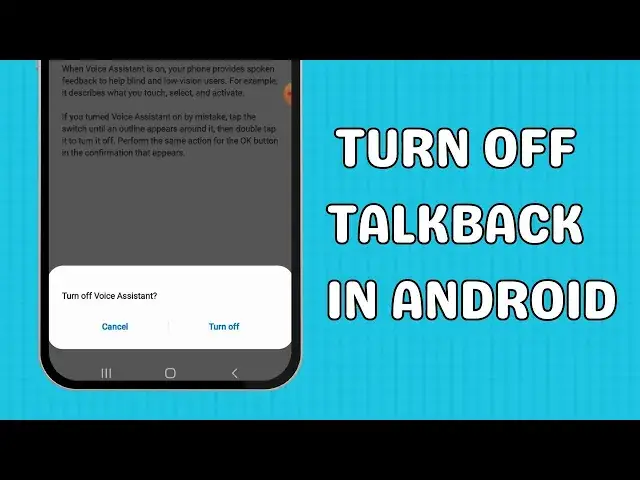

How to turn off talkback in Android
May 1, 2024
Are you tired of Talkback disrupting your Android experience? In this tutorial, I'll guide you step-by-step on how to turn off Talkback, the accessibility feature designed for visually impaired users, and regain control of your device.
🔧 What is Talkback and why disable it?
Talkback is a built-in feature on Android devices providing spoken feedback for visually impaired users. While essential for some, it can be an inconvenience for others. Learn why and how to disable it seamlessly.
💡 Alternative method:
If Talkback prevents you from accessing settings, learn how to disable it using physical buttons and safe mode.
🛠 Troubleshooting common issues:
Encounter problems? I've got you covered with troubleshooting tips to ensure a smooth process.
🎬 Table of Contents
0:00 Intro
0:06 How to turn off talkback in Android
0:44 Alternative method: Using physical buttons
Check out our blog for more information and links ⬇️
https://aeireintech.com/how-to-turn-off-talkback-in-android/
💬 Follow us
Facebook https://www.facebook.com/aeireintech/
Instagram https://www.instagram.com/aeireintech/
Twitter https://twitter.com/aeireintech
#TurnOffTalkback #DisableAccessibility #AndroidTips #AndroidAccessibility #TalkbackTutorial #AndroidAccessibility #TalkbackTutorial #DisableTalkback #AndroidTips #AccessibilitySettings #VisuallyImpaired #DisableScreenReader #AndroidAccessibilityOptions #TechTutorial #SmartphoneAccessibility #AccessibilityFeatures #MobileAccessibility #TalkbackTroubleshooting #AndroidDeviceTips #AccessibilityMode #DisableAccessibilityFeatures #AndroidAccessibilitySettings #TalkbackDisabled #MobileAccessibilityOptions #AndroidTutorial #TalkbackProblems #AndroidAccessibilityGuide
Show More Show Less