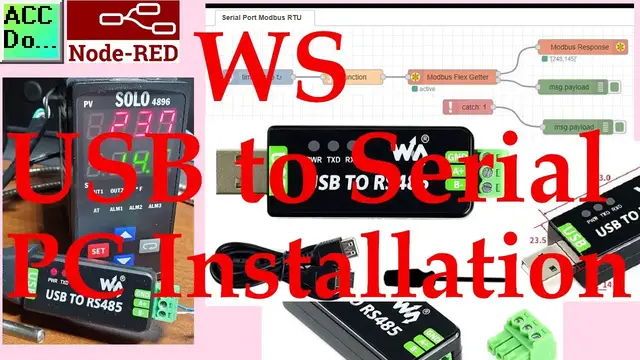

Waveshare WS USB to Serial PC Installation
Oct 12, 2022

We will be installing an industrial USB to RS485 converter on our computer. The Waveshare USB to serial port is a 2-wire USB to RS-485 serial communication adapter for RS485 use. It does not require an external power supply or complicated configuration. It has a Type A (plug) USB connector for the computer side and screw terminals for the RS485 connections. This is an industrial USB to RS485 converter that has an FT232RL chip inside. It features embedded protection circuits such as lightning-proof, resettable fuse, ESD (Electrostatic Discharge) protection, and TVS (Transient Voltage Suppression) diode, etc. All of these features are packed within a small form size.
We will be installing the driver for this USB to serial converter and connecting it to our computer. Node-RED will be used to communicate Modbus RS485 protocol to a Solo process temperature controller. Let’s get started.
Purchase your USB to RS-485 serial adapter from the following affiliate links.
https://amzn.to/35UNc6v
More information can be obtained at our website. It will give you a step by step instructions on this post. This includes all of the links mentioned in this video. https://accautomation.ca/waveshare-usb-to-serial-pc-installation/
00:00 Waveshare WS USB to Serial PC Installation
01:10 Unboxing WS USB to serial RS485 adapter
02:40 Download Waveshare Driver
03:17 Determine Windows 32 or 64 bit
03:59 USB Driver PC Installation
04:40 USB COM Port Assigned
05:23 USB to Serial Hardware Review
06:27 Node-RED Modbus RTU to Temperature Controller Program
08:51 Running Modbus RTU Program at Different Sampling Rates
Installing the Driver on PC
Show More Show Less #Industrial Materials & Equipment
#Software
#Device Drivers
#Teaching & Classroom Resources
#Computer Education
#Other