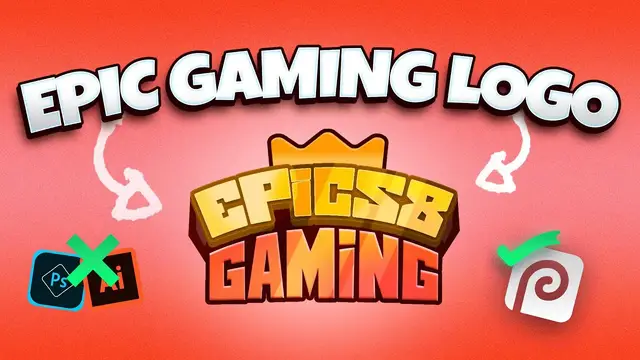

How to make a Roblox Gaming logo with Photopea - Free to create, no photoshop.
Sep 11, 2022
After watching this tutorial, you will be able to create your own custom gaming logo for your Roblox game or any other game for sure.
💎 Get Premium Stream Assets for any Niche you are in from today's sponsor.
⭐ Use this CODE ➝ EMSQ to enjoy 50% Off on all products.
➦ OWN3D Pro: http://own3d.gg/enstant-pro
➦ OWN3D: http://own3d.gg/enstant
EM Says: I will get a small commission but no extra cost to you. It will support my Channel to keep going. Thank you.
------------------------
🗞️ Blog post link: https://awsm.link/JkhFL
Wondering how to make your own game logo that seems like it came from Roblox?
Want to show off your luscious, mouth-watering, extra-awesome gaming logo? But it's free, and you can use it with your favorite browser, Chrome. No. You don't need photoshop, design abilities, or a mining-ready gaming computer to participate.
All you have to do now is watch this fantastic video on "how to design a Roblox-style gaming logo in photopea."
This is a Step by Step tutorial on Photopea.
I have been inspired for this design by awesome @CAMBIT Creates : https://www.youtube.com/channel/UCUYghcyi3yBoBFUiW94EdWw
------------------------
🎯 Resources I use daily:
➦ The tool I use to Manage, Grow this Channel: https://awsm.link/tubebuddy
➦ Where I find the Musics & SFX: https://awsm.link/yt-pro-music
➦ Ultimate Freebies Playlist: https://awsm.link/ultimate-freebies-playlist
➦ Best place to get premium templates: https://1.envato.market/n1Ajr7
🐢 Join the EM's Tortoise Newsletter. Weekly Newsletter sent by Enstant Man : https://awsm.link/em-tortoise
------------------------
✅ More from Enstant Man:
* Learn Graphics design, motion graphics & freelancing in the practical way: https://awsm.link/learn-from-em
* Join the EM's Tortoise Newsletter. The weekly Newsletter sent by Enstant Man. Get the Free access here: https://awsm.link/em-tortoise
* Discord Server: https://awsm.link/em-discord-gg
* Freebies Website (#1 Place to get Stream Graphics for Free): https://awsm.link/em-11hrscreator
------------------------
🌈 SUPPORT YOUR BUDDY
You can gift a smile to this small creator by Subscribing to this Channel
➦ https://awsm.link/ty-buddy
- Buy me a Coffee (Donation):
➦ https://awsm.link/donation
Thanks a lot if you do :)
------------------------
💜 Handpicked (Free Videos):
Easy Canva thumbnail tutorial - 2021 👉 https://youtu.be/z0ED8n8Df_M
Electra-nium 5 min Stream Starting Soon 👉 https://youtu.be/J7x2hdpIuIc
Cuam 21 Facecam border template 👉 https://youtu.be/EQ7UpxIuZWs
Full Clean Animated Stream Pack 👉 https://youtu.be/vRmJokj04PU
Most downloaded Stream Pack - Salient Ed 👉 https://youtu.be/S_HANpZHs90
5 FREE Stream Stinger Transitions 👉 https://youtu.be/q00EnQWKclY
------------------------
😉 Free Design templates & Animation assets for Content Creators, Streamers!
11hrs Creator is a place to get free non-copyrighted design and animation assets, templates, tutorials for content creators, YouTubers, and streamers.
➡️ Click the link to get 100% Free Forever access: https://awsm.link/em-11hrscreator
------------------------
🎁 Join the EM's Gold Newsletter for Free:- https://awsm.link/em-tortoise
✅ Social Media's (Say 👋🏻, I reply to all DM's, No request for Free custom work!)
➡ Instagram:- https://awsm.link/sFcEl
➡Twitter:- https://awsm.link/moZMP
➡ Dribbble:- https://awsm.link/WMVaZ
➡ Portfolio/Personal Website:- https://awsm.link/sickem-co
➡ Contact:- https://enstantman.com/contact/
------------------------
▶Chapters:-
0:00 - Intro
0:30 - Owd3d PRO ADS Part
01:23 - Tutorial process
19:21 - How to export
19:37 - Outro
Affiliate Disclosure: This Video may contain affiliate links, and I may earn a small commission at no extra cost to you. If you consider buying via my link. Thanks so much.
-----------
Discussed key points in this Video (TL;DR):
roblox gaming logo maker, gaming logo editing, How to make the Roblox Gaming logo with Photopea, How to make the Roblox Gaming logo, photopea tutorial, photopea gaming logo, how to make logo in photopea,how to create logo in photopea
Show More Show Less